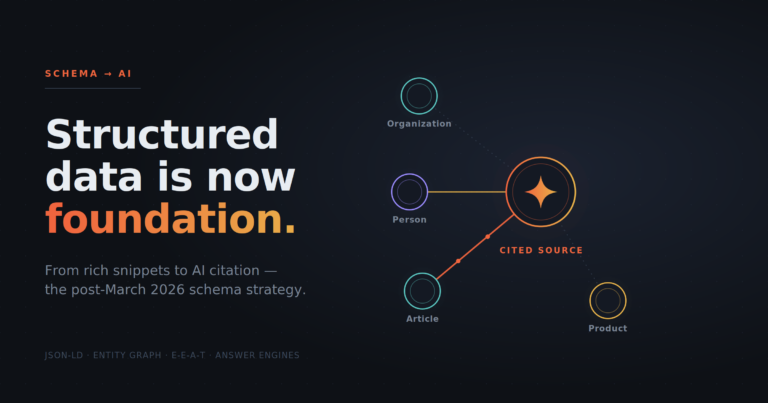

Sixty-three percent of local businesses had no schema markup on their websites as of 2024, according to BrightLocal. That gap is a competitive opening. While your competitors leave structured data off the table, a properly marked-up page tells Google exactly what your business is, where it operates, and when it opens. That information feeds rich results: the star ratings, address panels, and business hours that appear directly in search results before a user clicks anything.
Local business schema is the structured data vocabulary that enables this. Implementing it correctly is one of the highest-leverage technical tasks a local business can complete. This guide covers the seven properties that deliver the most impact, with enough specificity to get them right the first time.
Why Local Business Schema Matters for Rich Results
Rich results are not cosmetic upgrades. According to Moz data from 2023, they can lift click-through rates by an average of 15 percent. Searchmetrics research from the same period found that pages using schema markup rank an average of four positions higher than those without it. Even as historical context, those numbers point in a clear direction.
The mechanism is straightforward. Search engines parse structured data to extract facts about your business. When the data is clean and complete, Google can surface those facts in Knowledge Panels, local packs, and AI Overviews without guessing. When the data is missing or inconsistent, the engine fills in blanks from other sources, which introduces errors you cannot control.
Key takeaway: Local business schema does not just help search engines find you. It controls the facts they publish about you, across rich results, AI answers, and voice search responses.
Google updated its structured data general guidelines in April 2026, and schema.org released version 13.0 in March 2026. Both updates reinforce the same principle: accuracy and completeness matter. Partial implementations earn partial results.
For a deeper look at how structured data feeds AI-driven results, the article on structured data markup and AI Overviews citations covers the mechanics in detail.
The 7 Essential Local Business Schema Properties
The LocalBusiness type on Schema.org lists dozens of available properties. Most businesses do not need all of them. The seven below are the ones Google uses most consistently to generate rich results for local queries.
1. @type
Every schema implementation starts with @type, which identifies the category of entity. For most local businesses, LocalBusiness is the base type. However, using a more specific subtype improves relevance. A dental practice should use Dentist; a hotel should use Hotel; a restaurant should use Restaurant.
Specific subtypes inherit all properties of LocalBusiness and unlock additional properties relevant to that category. Choosing the right subtype takes two minutes and meaningfully improves how Google classifies your entity.
2. name
The name property should match your business name exactly as it appears on your Google Business Profile and physical signage. Do not add keywords, city names, or descriptors that are not part of your legal or operating name. Google cross-references this field against other signals, and inconsistencies create trust problems.
3. address (PostalAddress)
The address property uses a nested PostalAddress type. Fill in every sub-property available:
streetAddress: the street number and nameaddressLocality: the cityaddressRegion: the state or province abbreviationpostalCode: the ZIP or postal codeaddressCountry: the two-letter ISO country code (US, CA, GB)
This is the single most important property for local pack eligibility. An incomplete address reduces the likelihood that Google will surface your listing in proximity-based queries.
4. telephone
The telephone property should use E.164 international format: +12065551234. This format is unambiguous for machine parsing. Use your primary business number, the same one listed on your Google Business Profile. Avoid tracking numbers or call-forwarding numbers that change, as inconsistency across sources erodes your NAP (name, address, phone) consistency score.
5. openingHoursSpecification
This property is more precise than the plain text openingHours property. openingHoursSpecification uses structured objects with dayOfWeek, opens, and closes fields. Google uses this data to display hours directly in search results and to power the “open now” filter in local packs.
Keep this property current. Stale hours are one of the most common reasons businesses lose trust signals in local search. If your hours change seasonally, update the schema when you update your Google Business Profile.
6. geo (GeoCoordinates)
The geo property accepts a nested GeoCoordinates object with latitude and longitude values. Providing precise coordinates removes any ambiguity about your physical location, which matters in dense urban areas where multiple businesses share a street or building.
You can retrieve accurate coordinates from Google Maps by right-clicking your location pin. Paste those values directly into the schema. Do not round them.
7. aggregateRating
The aggregateRating property displays star ratings in search results. It requires two sub-properties:
ratingValue: the average score (for example, 4.7)either
reviewCountorratingCount: the total number of ratings
Google’s guidelines are strict here. You may only display ratings that reflect real customer reviews. Do not self-assign a rating or fabricate a review count. Violations can result in manual actions that suppress your rich results entirely. Review Google’s official local business structured data documentation for the full eligibility requirements before implementing this property.
Implementation Format: JSON-LD vs. Microdata
Google recommends JSON-LD as the preferred format for structured data. It sits in a <script> tag in your page’s <head> section and does not require you to modify your visible HTML. This separation makes it easier to maintain and update without risking layout changes.
Microdata embeds schema attributes directly into HTML elements. It works, but it is harder to audit and more error-prone during site redesigns. For most WordPress sites, a JSON-LD block managed through a plugin such as Rank Math is the most practical approach.
A minimal JSON-LD implementation for a local business looks like this:
Open a
<script type="application/ld+json">tagSet
@contexttohttps://schema.orgSet
@typeto your specific business typeAdd each of the seven properties listed above
Close the script tag
After publishing, run your page through Google’s Rich Results Test to confirm the markup is parsed correctly. Fix any errors before indexing, not after.
Common Mistakes That Undermine Local Business Schema
Implementation errors are common, and several are subtle enough to pass a visual review yet still fail Google’s parser.
NAP inconsistency: The name, address, and phone number in your schema must exactly match your Google Business Profile and your website’s contact page. Minor differences (St. vs. Street, Suite vs. Ste.) create conflicting signals.
Stale hours: A schema that shows incorrect hours after a holiday or schedule change actively harms user experience and can trigger negative engagement signals.
Missing required properties: Google’s structured data guidelines distinguish between required and recommended properties. Missing required fields disqualifies the page from rich results entirely.
Marking up content not visible on the page: Do not include information in your schema that a user cannot find on the same page. Google’s guidelines explicitly prohibit this practice.
Using generic @type: Defaulting to
LocalBusinesswhen a more specific subtype exists leaves relevance signals on the table.
For a broader look at how schema errors affected rankings after Google’s most recent core update, the analysis of Google’s March 2026 update and its impact on SEO structured data is worth reading before you finalize your implementation.
Schema for Service-Area Businesses
Not every local business has a physical storefront. Plumbers, consultants, and mobile services operate across a geographic area rather than from a single address. The areaServed property handles this case. You can assign it a city name, a state, or a nested GeoCircle object with a radius.
Industry discussion in early 2026 highlighted increasing use of GeoCircle for businesses with defined service radiuses. If you serve a 30-mile radius from Bellingham, WA, specifying that boundary in schema gives AI search systems precise input for proximity queries, rather than forcing them to infer your coverage from other signals.
Service-area businesses should still include a telephone and name property, even without a public address. If you do not publish your address publicly, omit the address property rather than listing a P.O. box or virtual office, which can trigger spam filters.
How Local Business Schema Connects to AEO
Answer Engine Optimization extends beyond traditional search rankings. AI systems like Google AI Overviews and conversational assistants pull structured facts to construct direct answers. A business with a complete, accurate local business schema is far more likely to be cited in those answers than one relying solely on unstructured page text.
According to Google’s own data from 2023, 80 percent of consumers use search engines to find local information, and local searches lead 50 percent of mobile users to visit a store within one day. Those users increasingly receive their answers from AI-generated summaries rather than by clicking ten blue links. Structured data is the mechanism that puts your business inside those summaries.
The connection between local SEO and AI Overviews is covered in depth in the guide on local SEO strategies for Google AI Overviews, which addresses how small businesses can position themselves for citation in AI-generated local answers.
For additional implementation context, the complete guide to local business schema markup from AgencyAnalytics covers Google’s guidelines alongside practical code examples.
Conclusion
Local business schema is infrastructure, not decoration. The seven properties covered here (type, name, address, telephone, opening hours, geo coordinates, and aggregate rating) form the baseline that Google requires to generate rich results for local queries. Each one serves a specific function in the parsing chain, and gaps in any of them reduce your eligibility for the features that drive clicks and foot traffic.
The competitive reality is straightforward. Most local businesses have not done this work. That means implementing a clean, complete schema now puts you ahead of most local competitors, before any content or link-building effort. It is also the foundation that AI search systems use to cite your business in generated answers, a channel that will only grow in importance.
Audit your current schema against the seven properties above. Fix the gaps, validate with Google’s Rich Results Test, and keep the data synchronized with your Google Business Profile. If you want a system that handles the strategy and publishing workflow behind this kind of optimization, visit AnswerPress to see how the platform approaches structured, AI-ready content at scale.
Frequently Asked Questions
What is local business schema and why is it important for my website?
Local business schema is structured data that helps search engines understand your business's core information, like its name, address, and hours. Implementing it correctly can lead to rich results in search, such as star ratings and business hours displayed directly in search results, which can boost click-through rates by an average of 15 percent.
Which specific properties are most essential for local business schema?
The seven most impactful properties for local business schema are @type (your specific business category), name (exact business name), address (full postal address), telephone (in E.164 format), openingHoursSpecification (structured hours), geo (latitude and longitude), and aggregateRating (star ratings and review counts).
What happens if my business doesn’t have a physical storefront?
For service-area businesses without a physical storefront, the 'areaServed' property is crucial. You can use it to specify the cities, states, or even a GeoCircle with a radius that your business covers, providing precise location data for search engines.
How does local business schema affect AI-generated answers like Google AI Overviews?
Local business schema provides structured facts that AI systems use to construct direct answers. A complete and accurate schema makes your business more likely to be cited in AI-generated summaries and voice search responses, which are increasingly used by consumers to find local information.
What are common mistakes to avoid when implementing local business schema?
Common mistakes include NAP (name, address, phone) inconsistency with your Google Business Profile, stale opening hours, missing required properties, marking up content not visible on the page, and using a generic '@type' when a more specific subtype exists. Avoiding these ensures your schema is correctly parsed and eligible for rich results.